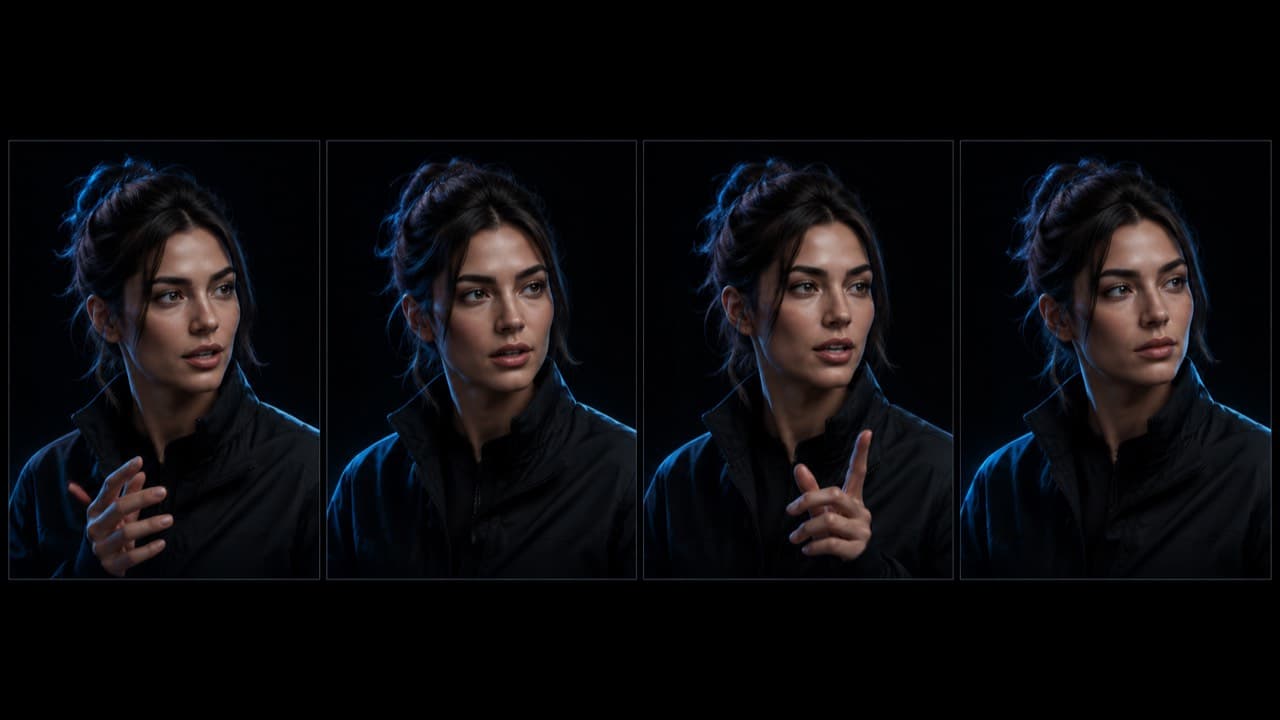
Identity drift is the silent killer of multi-clip AI shorts. You generate clip one with a character you like, generate clip two and the wardrobe shifts, generate clip three and the face structure has subtly changed, generate clip four and you're now editing a short with three different actors who happen to share a name. Most AI shorts that fail post-publish fail here, not at the model level — the visuals are competent on each clip individually, but the chain reads as inconsistent and viewers swipe.
This post is the production-grade fix we use internally and the same playbook we recommend to anyone running their own video gen pipeline. It's four steps, none of them require a special model, and together they take the chain ceiling from 'two clips reliable' to 'five clips reliable.' Past five clips you should split the short, but four-clip chains with this protocol are the new floor.
Step 1 — Multi-angle reference pack (not single ref)
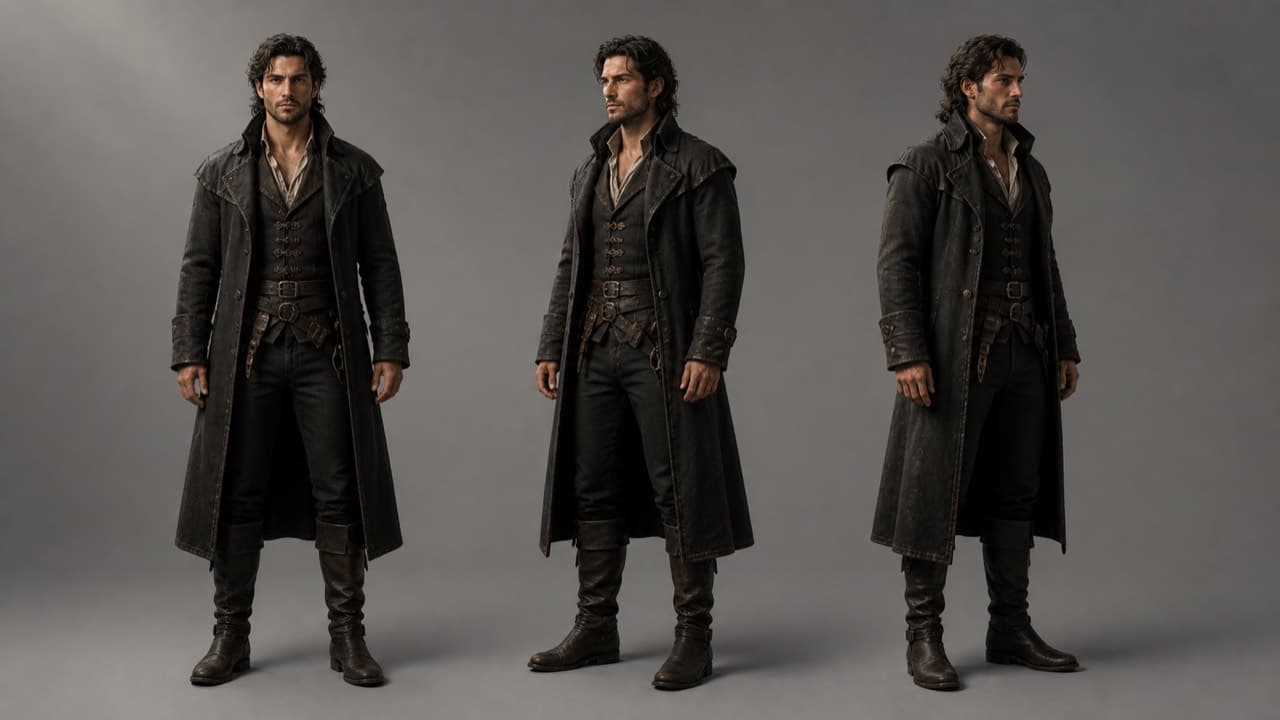
The default behavior of every AI video model is to accept a single reference image. The default behavior of every AI video model when given a single reference is to fill the missing angles with whatever it likes. If the model has only seen the front of your character's face, it invents the three-quarter view, the profile, and the back of the head — and it invents them differently every clip.
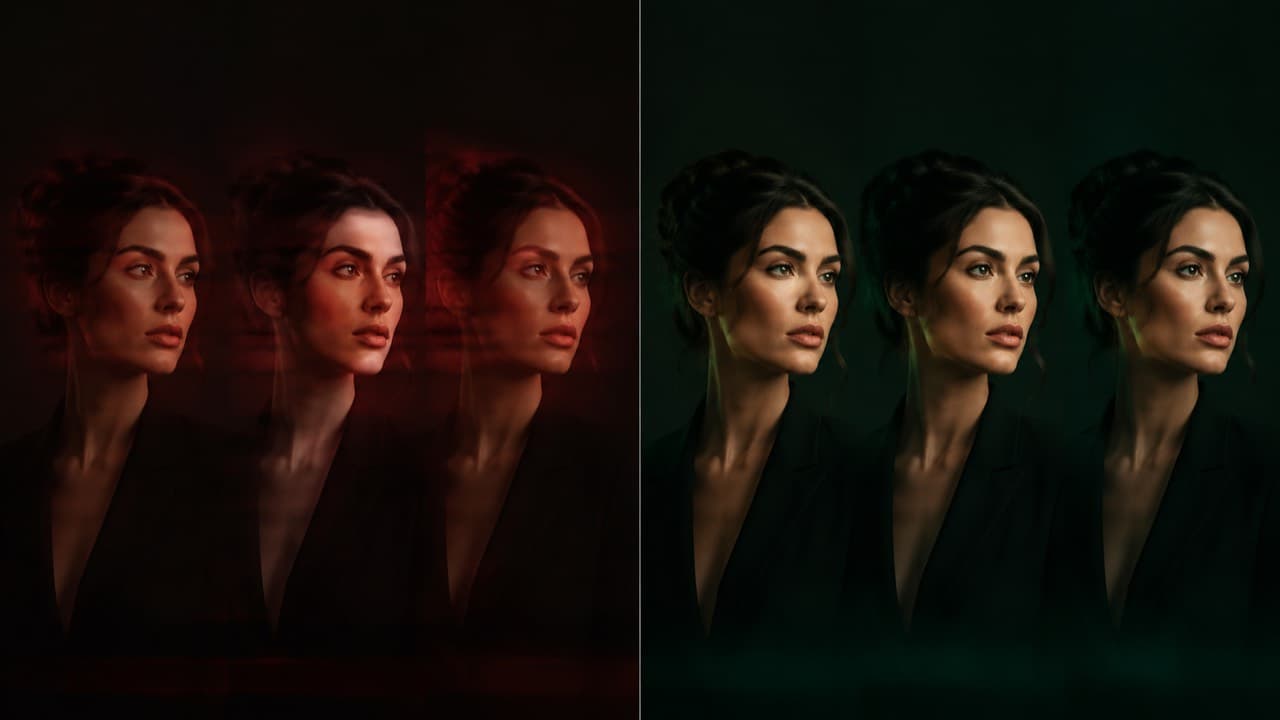
The fix is to pre-generate a reference pack: at minimum a front shot, a three-quarter left, and a three-quarter right of the character. For shorts that step back the camera, add a full-body. For shorts with hand interaction, add a hands-only frame. Pass all three (or more) on every clip submission. The model now has pixel-level information about every angle the next clip might require, so it stops inventing.
We tested 1, 2, 3, and 5 reference angles across Veo 3.1, Sora 2, and Seedance 2.0 on chains of 4 clips. Identity-drift score (subjective, 5-point scale) drops from 2.8 with one reference to 1.6 with two to 0.9 with three. Going from 3 to 5 only buys you another 0.2 — diminishing returns past three.
Step 2 — Last-frame chaining
Reference packs anchor identity at the macro level — the model knows what the character looks like. They don't anchor wardrobe, lighting, or pose continuity at the seam between clips. That's where last-frame chaining comes in.
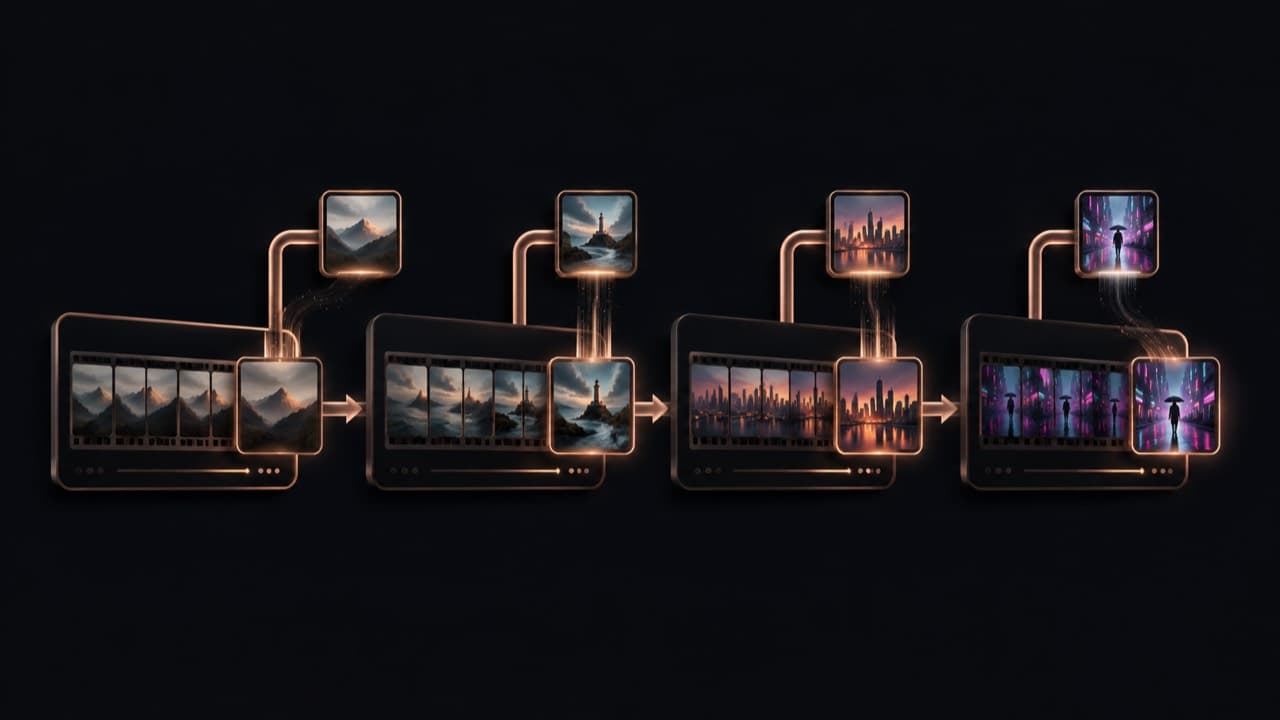
After clip N finishes generating, extract its last frame. Pass that frame as an additional reference image into clip N+1's submission, alongside your three-angle pack. The model picks up wardrobe color, lighting temperature, body posture, and frame composition from the last frame and continues them. The seam disappears.
The reason this works is that AI video models treat reference images as anchoring data — they don't render references back into the output, they use them as conditioning. Adding the last frame doesn't make the next clip start with that frame; it tells the model 'whatever continues from here should look like this.' Continuity collapses to almost zero between clips when this is wired correctly.
// Pseudo-code for the chain
async function renderChain(scenes, character, model) {
  let lastFrame = null;
  const outputs = [];

  for (const scene of scenes) {
    const refs = [...character.referencePack];     // 3 angles
    if (lastFrame) refs.push(lastFrame);            // + previous clip's last frame

    const clip = await model.generate({
      prompt: scene.prompt,
      negativePrompt: scene.negativePrompt,
      duration: scene.duration,
      referenceImages: refs,
    });

    outputs.push(clip);
    lastFrame = await extractFrame(clip.url, "last");
  }

  return outputs;
}
Step 3 — Global context block
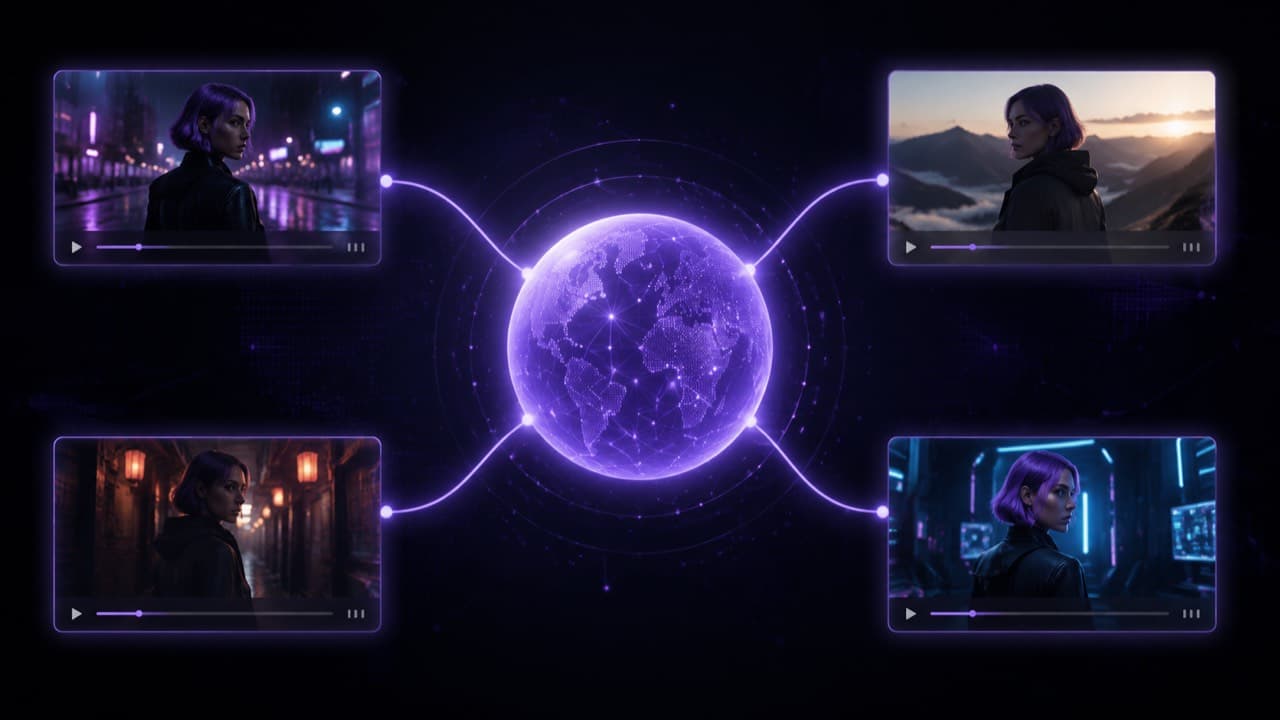
References anchor visual identity. The global context block anchors prompt-level identity — the wording every clip uses to describe the character, the lighting, and the visual style. This matters because AI video models also condition on the prompt, not just on the references, and inconsistent prompt language across clips introduces drift the references can't fully correct.
Practically: write one 1–3 sentence string that describes the character (deterministic wording — same hair color, same wardrobe, same vibe, every clip), the lighting (pinned to a specific Kelvin temperature like 'warm 3200K') and the visual style. Prepend this string verbatim to every clip's prompt before any per-clip content. The model receives identical conditioning on the things that should be identical, and only the per-clip variables (action, camera move, dialogue) change.
Writing 'warm-ish 3000-3500K lighting' across clips introduces small entropy each time the model interprets it. Writing 'warm 3200K' eliminates that. The same applies to wardrobe ('navy crewneck', not 'a navy or dark sweater'), hair ('shoulder-length brown waves', not 'medium-length brown hair'), and vibe ('quietly confident, neutral expression', not 'calm-looking'). Treat the global context as code, not prose.
Step 4 — Chain-length discipline
The most underrated step. Even with a perfect reference pack, last-frame chaining, and a global context block, identity-drift compounds geometrically as the chain lengthens. Three clips reliable, four shaky, five visibly drifting — this is the empirical ceiling we've measured across every modern model. Past five clips, the small per-clip drift adds up to a clearly different person.
The discipline is to design your shorts around the ceiling, not against it. If your storyboard requires 6–7 distinct beats, render two outputs of 3–4 clips each and edit them together — character won't drift between two separate generations as long as the reference pack is the same. If your storyboard requires 8+ beats, you're probably writing a long-form, not a short. Reformat.
An adjacent discipline: avoid clip durations that exceed the model's natural sweet spot. A 15-second Seedance 2.0 clip drifts more internally than three 5-second clips — long single clips have their own internal-drift problem because the model has to maintain consistency over its own multi-second window. Two short clips with last-frame chaining usually beat one long clip in identity preservation.
Putting it together: a worked example
A four-clip 30-second short of a fictional creator delivering a financial tip:
- Generate the character: a fictional persona via the Influencer node, locked seed. Output: a hero portrait + 12 facets at 1K resolution. Cost: ~13 credits.
- Build the global context block: 'A 26-year-old fictional creator with shoulder-length auburn hair, slim build, navy crewneck. Soft window light from camera left, warm 3200K, casual living-room background. Phone-camera handheld feel.'
- Render clip 1 (hook, 5s): refs = [front, 3/4-left, 3/4-right]. Prompt = global context + hook line. Audio on.
- Extract last frame of clip 1. Render clip 2 (setup, 6s): refs = [front, 3/4-left, 3/4-right, clip1-last]. Prompt = global context + setup beat. Audio off (voiceover in post).
- Extract last frame of clip 2. Render clip 3 (payoff, 8s): refs = [front, 3/4-left, 3/4-right, clip2-last]. Prompt = global context + payoff line. Audio on.
- Extract last frame of clip 3. Render clip 4 (outro, 4s): refs = [front, 3/4-left, 3/4-right, clip3-last]. Prompt = global context + CTA. Audio on.
- Stitch with re-encode pass. Total cost on Seedance 2.0 Fast 720p: ~85 credits or about $8.50 of plan value.
Identity drift across this chain is typically imperceptible to viewers at phone playback resolution. The same protocol works on Veo 3.1, Sora 2, Wan 2.6, and Kling 2.6 — only the per-clip prompts need slight adjustment for each model's preferred phrasing.
When the protocol still isn't enough
- Photoreal AI characters on Seedance 2.0. The face filter rejects them outright before the protocol matters. We have a separate post on the character-sheet markup trick that gets through the filter.
- Two-character scenes. Identity lock works for one main character; second characters drift more. If both matter, render them in separate scenes and composite, or use a model with stronger multi-character coherence (Veo 3.1 Quality currently best).
- Action shots with rapid camera moves. Models trade identity stability for motion fidelity in fast shots. For hero clips, render at the model's natural sweet-spot duration (5–8 seconds) and avoid stacking high-action with multi-clip chains.
- Beyond five clips. The protocol gets you to 5 reliable. Past that, split-and-stitch is the answer.
Frequently asked questions
Can I skip last-frame chaining if I have a strong reference pack?+
You can, and it'll work for 2-clip chains. For 3+ clip chains, last-frame chaining is the difference between 'works' and 'works reliably.' It's a 5% improvement per clip seam, which compounds to 30%+ across a 6-seam chain.
What about chain-of-clips features in newer models?+
Some models (Sora 2 Pro Storyboard, Veo 3.1 Extend) handle multi-clip continuity natively in one call. They're improvements but not silver bullets — they cost more per output and the chain ceiling moves slightly higher (5–6 clips instead of 4–5), not infinitely. The 4-step protocol still applies underneath.
Does ViralTwin do all four steps automatically?+
Yes — the canvas wires multi-angle reference packs, last-frame chaining, and global context blocks into every multi-clip render by default. You configure the character once and the chain runs the protocol on every clip without intervention.
Do I need this for a single-clip output?+
Just the multi-angle pack. Last-frame chaining and global context are about consistency across clips — not relevant when there's only one clip. A single-clip render with a 3-angle reference pack is identity-stable enough for any short use case.
How is this different from LoRA / fine-tuned characters?+
LoRA-style fine-tuning bakes the character into the model weights, which is more powerful but takes hours, costs more, and requires cooperation from the model provider. The 4-step protocol works on hosted APIs you don't control, with no fine-tuning, in ~30 seconds of overhead per clip. The trade-off is acceptable for 95% of short-form use cases.
ViralTwin's canvas runs all four steps by default — multi-angle reference packs, last-frame chaining, global context blocks, and chain-ceiling guidance baked into the renderer. Free trial, no card required.
Try the canvas