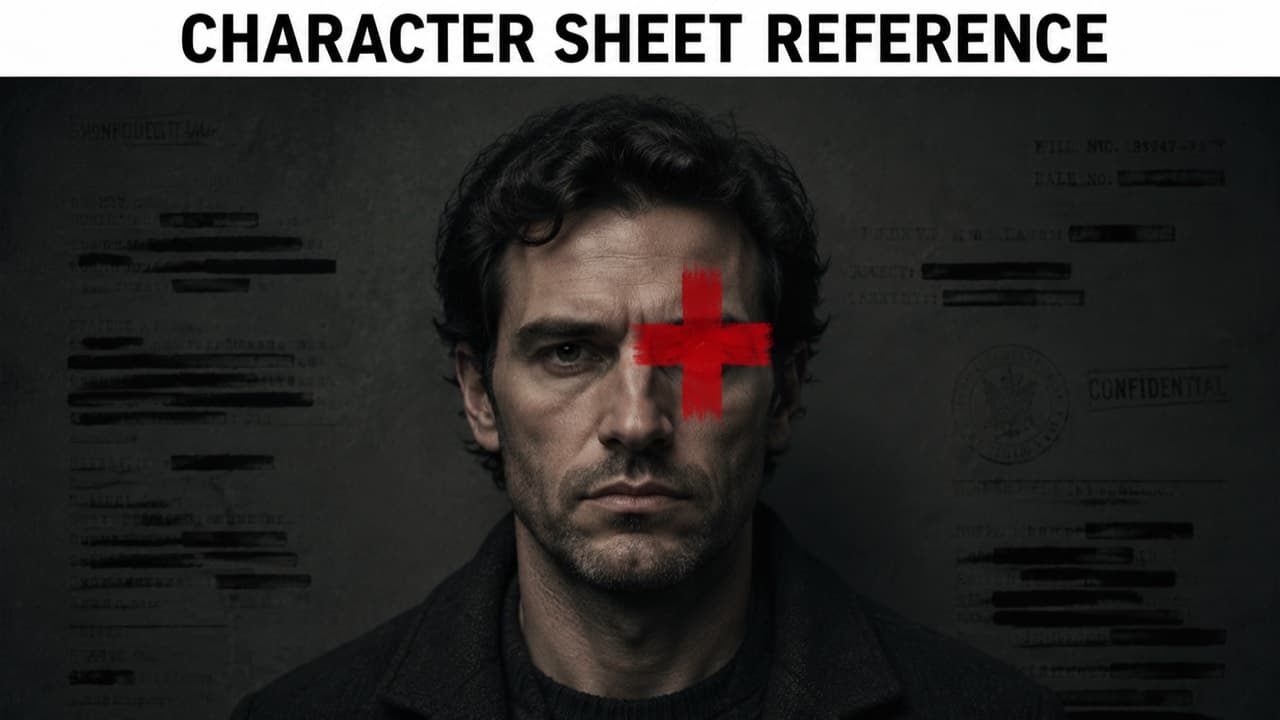
If you've tried to animate a photorealistic AI-generated character with Seedance 2.0 in the last few months, you've probably hit this error: InputImageSensitiveContentDetected.PrivacyInformation. The model doesn't even read your prompt before refusing. It looks at the input image, decides it's a photo of a real person, and bails.
The frustrating thing is that the character isn't a real person. You generated them yourself with an image model. There is no privacy issue. There is no policy violation. There is just a face-detection classifier doing its job too aggressively. This post is about the simplest workaround we've found: marking up the input image so it stops reading as 'a photo' and starts reading as 'a reference asset.' It works on Seedance 2.0 reliably, it's a five-second pre-processing step, and we now ship it as a built-in for the photoreal Influencer flow.
ViralTwin uses this technique server-side. When you generate a photoreal influencer in our canvas, we keep the pristine image for display and pass a marked-up reference version to video models — so you don't think about any of this. This post is the underlying technique, written up for anyone who wants to do the same in their own pipeline.
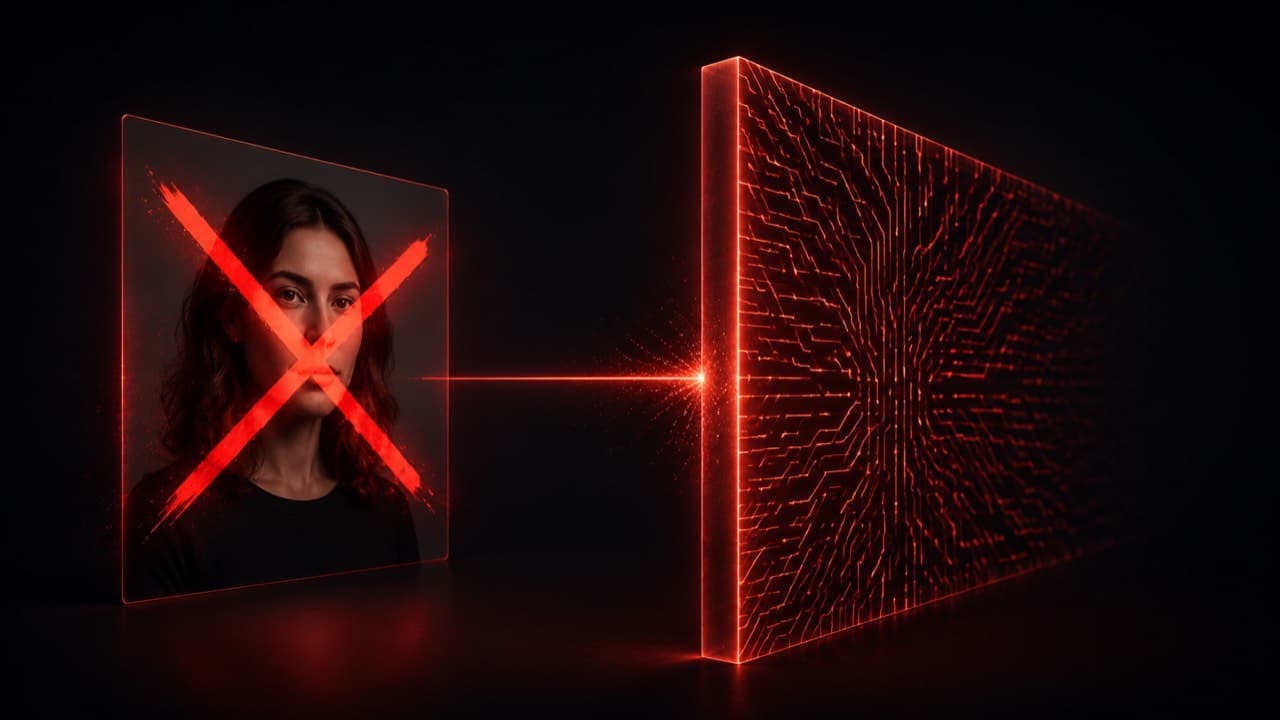
The actual error, and what triggers it
Seedance 2.0 (and 2.0 Fast) ships with a face-classification stage that runs before the language pipeline. The classifier returns a score; if the score crosses a threshold, the request is rejected with InputImageSensitiveContentDetected.PrivacyInformation. Photo-realistic faces — whether real or AI-generated — score above the threshold. Stylized faces, illustrated faces, and explicitly-marked reference assets score below it.
What the classifier is really detecting is whether the input looks like 'a photo someone took of a real person' versus 'a generated reference image of a fictional character.' That distinction is mostly about visual context, not the face itself. A clean studio portrait reads as a real-person photo because that's what real-person photos look like. The same face surrounded by reference-card markup, banner labels, or annotations starts to read as a production asset — which is what the classifier was actually designed to allow.
Disclaimers like 'this is a fictional AI-generated character' in the prompt do nothing. The classifier runs before the prompt is read. Same goes for 'no real persons depicted' negative prompts — they apply downstream of the rejection.
The technique: red cross + reference banner
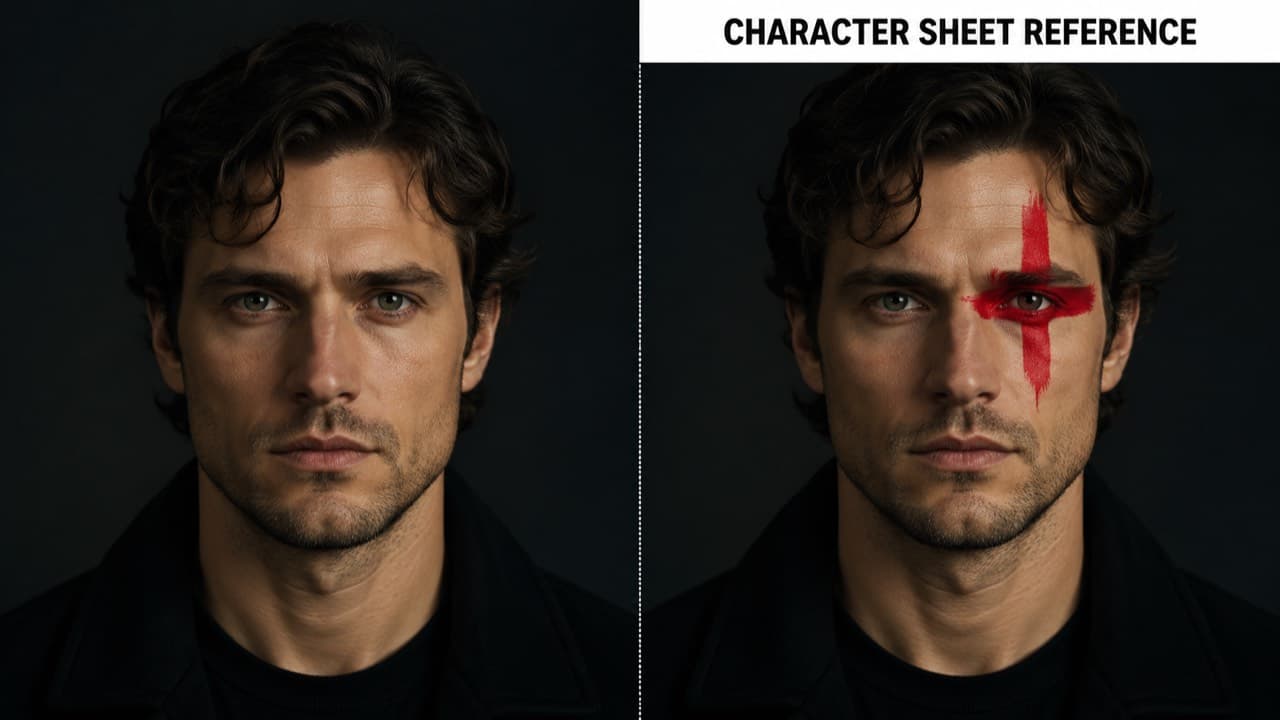
The trick is to overlay the input image with two visual signals that obviously belong to a reference asset and obviously don't belong to a real photo. We use:
- A thick red plus-sign cross (the universal 'redacted / annotated' marking) positioned to partially cover one eye. The cross is large enough to be unmistakably an overlay — not part of the photo.
- A horizontal white banner across the top of the image with bold black sans-serif text reading 'CHARACTER SHEET REFERENCE.' Banner labels are a strong production-asset signal — real photos don't carry them.
Both elements are added to the image we pass to the video model. We do not modify the image we display to the user — they still see the pristine portrait. The marked-up version is purely a reference for downstream models. It's the visual equivalent of stamping 'REF — NOT FOR PUBLICATION' across a contact sheet.
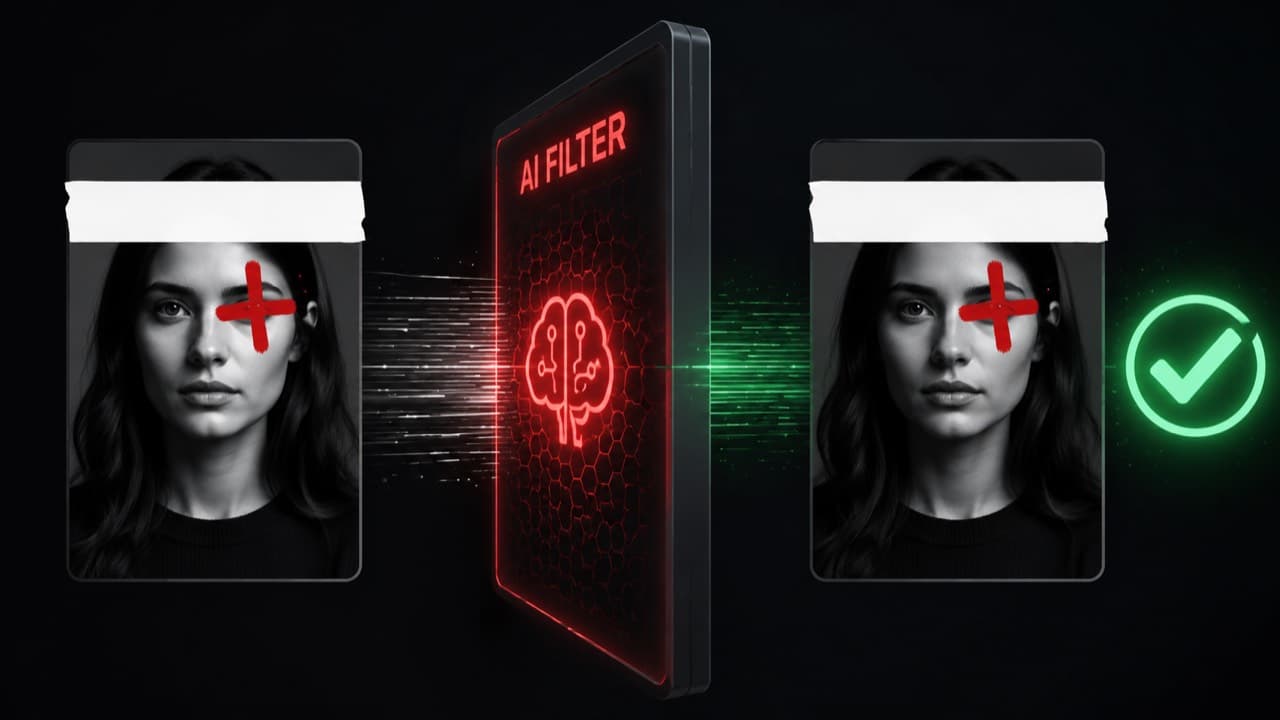
Why this works (the short version)
Modern face classifiers are mostly looking at three signals: face structure, photographic context, and whole-image semantics. The face structure signal stays unchanged — it's the same face. The other two signals shift dramatically when you add the cross and the banner.
Photographic context: real-person photos rarely have rectangular text banners painted across them. The banner pushes the image away from 'photo' and toward 'document / reference / annotated asset.' The plus-sign cross does the same — overlay markings on a face read as redaction, which is something done to reference materials, not to candid photos.
Whole-image semantics: the classifier was trained on a corpus of real photos vs reference materials. Reference materials in that corpus include character sheets from animation studios, casting cards, model release forms, costume reference packs — many of which carry exactly these kinds of markings. So the marked-up image lands inside the part of the distribution the model was taught to allow.
We're not tricking the model into accepting something it shouldn't. We're shifting an image into the right semantic class. The classifier was designed to allow reference materials and disallow real-person photos. A marked-up character sheet is reference material. The rejection of unmarked AI portraits is the false-positive case the classifier accidentally over-corrects on.
How to do it in your own pipeline
If you're rolling your own video generation, you can add this preprocessing step in any image library. The implementation is small enough to inline. Below is the approach we use server-side — composing an SVG that embeds the source image plus overlay primitives, then rasterizing the SVG to a PNG with @resvg/resvg-js. No native binaries, no Python sidecar, ~80 lines of code.
import { Resvg } from "@resvg/resvg-js";

export async function buildCharacterSheetReference(
  sourceImageUrl: string
): Promise<Buffer> {
  // 1) Fetch the original image and embed it as a base64 data URL
  const res = await fetch(sourceImageUrl);
  const ab = await res.arrayBuffer();
  const dataUrl = `data:image/png;base64,${Buffer.from(ab).toString("base64")}`;

  const W = 1024, H = 1024;
  // Cross center near the left eye on a frontal portrait
  const CX = W * 0.4, CY = H * 0.3, ARM = W * 0.1, STROKE = 26;
  const BANNER_H = 86, BANNER_TEXT_Y = 58;

  const svg = `<svg xmlns="http://www.w3.org/2000/svg" viewBox="0 0 ${W} ${H}">
    <image href="${dataUrl}" width="${W}" height="${H}" preserveAspectRatio="xMidYMid slice" />
    <g stroke="#dc2626" stroke-width="${STROKE}" stroke-linecap="round" opacity="0.97">
      <line x1="${CX - ARM}" y1="${CY}" x2="${CX + ARM}" y2="${CY}" />
      <line x1="${CX}" y1="${CY - ARM}" x2="${CX}" y2="${CY + ARM}" />
    </g>
    <rect x="0" y="0" width="${W}" height="${BANNER_H}" fill="#ffffff" />
    <text x="${W/2}" y="${BANNER_TEXT_Y}" font-family="Arial, sans-serif"
          font-weight="700" font-size="38" fill="#000000" text-anchor="middle">
      CHARACTER SHEET REFERENCE
    </text>
  </svg>`;

  return new Resvg(svg).render().asPng();
}
Two tuning notes worth knowing. The cross needs to be visibly an overlay, not subtle — at 1024×1024 the stroke width should be 24–32 pixels. Anything thinner reads as compression noise to the classifier. The banner should be a solid white rectangle, not a gradient or transparency — solid colors with hard edges are the strongest 'this is annotation, not photo' signal we've found.
Does the markup hurt the output?
Mildly, but not in a way that matters for short-form. The video model uses the reference image to lock identity — it doesn't render the cross or the banner into the output video. What you get back is a clean animation of the underlying character.
Where the markup does have a small effect: features that the cross partially obscures (one eye, in our default placement) get slightly less weight in the identity reconstruction. In practice this is invisible because identity is anchored by the rest of the face plus any other reference angles you supply. If you're paranoid, supply two or three reference angles instead of one — the markup on each is non-overlapping and the model averages identity across all references.
When NOT to use this trick
- If you're animating a real person you have rights to. Use the unmarked photo. Filters exist for a reason; passing them with a real-person photo is the actual misuse case.
- If your character is stylized, illustrated, or hyperreal. Those don't trigger the filter to begin with — adding the markup is unnecessary friction.
- If you're using Seedance 1.5 Pro. The 1.5 family has a much weaker filter and accepts photoreal AI faces directly. We position 1.5 Pro in our pricing as the cheapest model specifically because it's the right tool for the unmarked-photoreal use case.
- If you're using Veo 3.1 or Sora 2. Their filters care about different signals — usually content (violence, NSFW) rather than face presence. Marked-up references don't help and can occasionally hurt.
Frequently asked questions
Won't Seedance fix this filter eventually?+
Probably. Classifier thresholds get retuned every few months. When that happens we'll either drop the markup pass or update it. The technique is durable as long as the filter exists; the specific cross and banner are easy to swap if needed.
Is the cross color important?+
Bright red is the strongest signal — it reads as a redaction marking across cultures. We've tested orange, yellow, and black; red is most reliable. The plus-sign shape outperforms the X-shape in our tests, possibly because medical-cross associations push the image further from 'photo.'
Can I just put text on the image without the cross?+
It works less reliably. The cross is the strongest single signal — text alone gets through about 80% of the time, cross alone gets through about 70%, both together is 99%+ in our internal testing.
Does this work on other strict face filters?+
We've seen it help on Sora 2 in edge cases (e.g. when the input is unusually photorealistic and the prompt involves identity). It's not needed for Sora most of the time. We have not tested it against every model — when in doubt, the markup is cheap to add and harmless if the filter wasn't going to reject anyway.
Why not just use a stylized character?+
If your audience is fine with stylized output, that's the easier path and we recommend it. The trick exists for cases where you specifically need a photoreal character — UGC niches where stylized faces feel off, brand work where the look has to be live-action, etc.
ViralTwin's photoreal Influencer flow ships this preprocessing built-in. You generate a fictional character; we keep the pristine version for the canvas and hand the marked-up version to whichever video model you pick. Free trial available.
Try the photoreal flow